The Invisible Phone: Ditch PSTN Forever – No IMEI, No IMSI, No KYC, Total Stealth Calling
Transcript
Machine-transcribed by YouTube. Expect errors in names, commands and version numbers.
Today, I'm going to teach you about a false stealth solution to your phone. First, be aware that the phone network, which is called the public switched telephone network, or PSTN,
is the most surveilled communication system in the world. In the US alone, each call is tracked via multiple government surveillance methods. There's the Prism program that records all metadata and sends it to the infamous Utah data center of the No Such Agency.
There's the Calia law that allows any law enforcement officer to wiretap your conversation just from some internet interface without even requiring physical presence. Then there's a cell carrier tracking that includes cell tower location triangulation and identification of your phone by IMSI, IMEI, and matches that with your phone call. And if you're on a production phone, Google is aware of every click. To add to its invasiveness, Google will now query the carrier network for your ID, name, and address. So, there's a direct link between your phone, the cell network, and your presence on the PSTN. And of course, matched to your Google ID together with the IMEI and IMSI.
What if I told you that you can get around all this? I'm not suggesting that you can evade the government if you're being actively surveilled, but if you're just a privacy-seeking individual that just wants [music] to disappear quietly from the grid, I have a tested answer. It's even possible for you to have a normal phone with two methods of calling. One that looks like a legit normie phone and one with stealth and use the method that suits you at the moment. Total flexibility. This works, folks. I tested it and surprisingly, it does the job well. And partly, it's a misunderstood solution because people didn't know how to set it up properly.
So, I'll teach you how to make it work correctly. Stay right there.
Big picture of the solution. The solution is actually very simple, but I will be honest with you. Without the proper setup, it is buggy and unreliable. For this to work, it has to be as steady as a normal phone. So, I tested this and I'm documenting for you what I did. And when set up correctly, it works great. If this hasn't worked for you before, it is likely because of some incorrect setup or maybe it's something unique with the phone being used. The pieces of the solution involve using a de-googled phone, a voice over IP service on the phone, a voice over IP app, and a data-only SIM. In this instance, I tested with all products that came from my company.
You don't have to use a product from me, but here I have full control of all the pieces, so I know this will work. You can certainly find alternate services and devices to what I offer, though I think this is a brilliant solution in combination, since everything works and all are vetted and are priced very fairly. All the services I will discuss feature no KYC or no ID, so you're guaranteed
privacy from the outset. There will be no instance of some Google Android retrieving your name and address direct from the carrier. De-googled phone. The only really private phone type that is commonly available is the de-googled phone, which is just a general classification of a phone running Android Open Source Project or AOSP.
The most common variety of these phones are Google Pixels running some AOSB variant like eOS, CalyxOS, LineageOS, or GrapheneOS.
For my testing, my own phone is a Brex 3, which is running eOS currently. What makes these types of phones safer is that first, they don't have any connection to Google. Standard phones send identifiers to HQ when you make an internet connection, like your Google ID and then your IMSI and IMEI.
So, they are automatically identified. In addition, Google is able to track all your app use, so it would be a simple matter to track that you used a voice over IP app, for example. A de-Google phone is invisible to Big Tech. The important feature that you need to make this solution work is to enable notifications via a Google spoofer feature called microG. I will explain all that later. Notifications are key to making this seamless, otherwise you'll use up too much battery by staying awake constantly.
Voice over IP service. The service I'm using for testing is the Brex virtual phone service. This is a VoIP solution that is only available with US and Canada phone numbers, though they can be used anywhere in the world. The key to this service, as I mentioned, is that it is a no KYC service. So, your identity is not tied to the service, nor is it shared with the carrier in any way. But, the unique thing about this solution is that because it is not cellular based, meaning you're not using a cell tower for phone communications, you're actually not sending an identifier with your call. Over cell, every call is accompanied by the IMSI, or international mobile subscriber identity, and the IMEI, or the international mobile equipment identifier.
Using voice over IP, the call to the phone network is actually initiated at the carrier server. That's where the bridge is to the PSTN, and you just connect to that server using a network transport protocol called SIP. S I P.
Because there's no radio connection, the cell identifiers, meaning IMSI and IMEI, do not exist. By the way, you don't need to understand what the SIP acronym means. It's just that to the recipient of your call, the source device of the call is unknown other than the phone number.
Data only eSIM. This is the part that I've been missing for a while, and that is where to get an affordable no KYC data only eSIM
service. We announced this product recently, and I have partnered with a carrier to come up with Brex SIM Unlisted. The specific product line applicable here is the privacy travel eSIM service, which is available in a dozen countries. It is data only and can be used at a very reasonable price. I will try to give you estimates of cost later, so you can see that this is all doable without breaking the bank. What is interesting about an eSIM data only service is that your phone connection to the cell network is via internet only, so there is no assigned phone number. Although an eSIM still has an IMSI and IMEI, when there's no cell or SMS traffic, no one can associate a specific activity to the device, since the metadata comes from the phone number, and that doesn't exist on a data only SIM with internet only use.
A phone number, by the way, is what identifies you on the PSTN. The absence
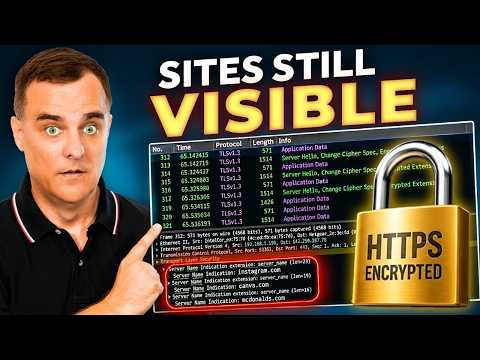
of that limits the addressability of the base bad modem or the cell radio on your phone. By the design of the PSTN, the metadata is tied to calling or texting activity, not internet. In case you didn't know, nowadays, most of the internet traffic is already encrypted. This is why your browser requires you to type HTTPS on any website you access. That turns on the encryption. So, your traffic already enters the cell carrier with an encryption layer. But, in the case of the Brax and service, this is even better because though the carrier I'm using is an MVNO of T-Mobile, even T-Mobile doesn't see the traffic because from your phone, it is routed to the Brax and carrier via
VPN. You will see that specified in the APN information or access point name settings where the internet routing is entered. And then it exits back to T-Mobile, but with the source path removed, meaning the originating device. So, when using a data only SIM that has no KYC like in this example, the internet traffic from the phone is very protected from the typical mass surveillance.
Using all these together. The basic approach is to use all these pieces together. You install a voice over IP app on the phone to connect to the Brax virtual phone service, and in this case, I'm using the app Voip MS softphone. Then as I said, the phone itself is a Brax 3, which is a de-googled phone. Then it has a Brax SIM travel eSIM, which is data only. This is a pretty hardened solution from the PSTN side of things. There's no direct phone number to the phone. The internet side is encrypted as I said. The voice over IP service trunks your traffic and calls are initiated from the carrier side rather than on device.
This works very well when making outgoing calls and there is really no complexity with that. Where people have a problem is to get the phone to ring when you are mobile. Setting up the voice over IP app.
I'm going to show you in detail how to set up the Brac's virtual phone on the VoIP MS app. So, there's no mystery in this. First, assuming you already provision a phone number on Brac's virtual phone, your account will look like this. The most critical value is your SIP username. Next, you need to set up these three additional important fields. Your SIP password, your SIP server, and then the transport method. These default to a value, but you can change them. The password cannot have special characters, but I recommend a long password with four random words.
The server is critical. Whatever it is needs to match what you enter on your voice over IP app. Otherwise, select whatever is closest to you. The other critical value is that it must match the country of the phone number you provisioned. If the country does not match, you must choose an international server. Any of them. The transport defaults to UDP, which is the best in performance, but you can select TLS if you want to increase security. However, the encryption has a performance penalty and may affect the quality of the voice, so test it first.
Also, make sure you have no forwarding number for the call. If you forward the number, your phone will not ring as it resends the call as a fresh call to the other number. But you can forward your voicemail to email or forward SMS. Those don't impact the ringing. So, given the four values which you have set up on the Brax virtual phone setup, it is a simple matter of putting the same exact information on the Voip MS softphone app.
Reliable ringing. Now, what happens once you enter this account on the Voip MS app and enable the account, it will then state that it is registered. This indicates that the voice over IP app has a constant internet connection with the server, and this is the first indication that things are set up right. If it is not showing as registered, then go back to what I said and see what the error is, like a typo, non-matching server, non-matching transport, or an international server wasn't used when needed. It will be some obvious difference. There are other things to consider, though. Only one device can be registered at a time. So, if you have a hardware SIP phone also active, that will likely take priority since only one device can ring.
I'll give you alternate approaches on that later. In any case, at this moment, if you call the voice over IP number, the phone will ring and it will be flawless. However, most people leave it like this, and then it doesn't ring when they put the phone in their pocket. The way registration works is that the app must be constantly connected to the server, and then if a call arrives, it is able to immediately trigger the ringer. But for those on a mobile phone, you will immediately understand that apps go to sleep to preserve battery. And having an app that never shuts down and causes the internet connection to be sustained 24/7 will inevitably kill the battery in
a very short amount of time. There are several settings to override this, which will make this work well.
First, you must enable notifications on the app. For notifications to work on a de-Googled phone, you must go to microG, which is in settings on a GrapheneOS phone, and make sure that cloud messaging is enabled. You also enable Google device registration, but you never create a Google account, so leave that part alone. What this does is allow microG to spoof your identity on Google so that you're able to receive notifications from Google, but without identifying your phone. By the way, there is no microG on GrapheneOS, and you are forced to log in to Google with your real Google ID on the sandbox, so I don't recommend that method. microG works flawlessly for this use.
In addition to notifications being enabled for the VoIP MS app, you go to app battery usage and permissions and enable allow background usage.
What it does is that if the phone receives a notification and the app is not running, the notification will actually launch the app in the background, and then this will allow it to trigger the ringing. Using notifications, it is then unnecessary for the phone to remain connected continuously. microG itself is always running even in the background. This is the main app that must remain connected to the internet at all times. But since only this app must be running, then there's not as much of a drain on the battery. By the way, there's an option in permissions called manage app if unused.
This could turn off the app and wreak havoc on you. So, make sure you disable this feature. Now, let's test this out. Just to demonstrate, I will force stop the VoIP MS app. Then, we will call the number.
As you can see, it works fine as long as notifications are enabled.
Alternate strategies. There's never a one-size-fits-all when it comes to a privacy solution. Some people need a regular phone with access to regular calls, like a business line, but the privacy comes from even just partitioning your data. If, for example, business calls go into a regular public PSTN line with a regular SIM card, and VoIP calls use only the data, then you are providing a segregation of traffic since your private calls don't announce you on the PSTN. You can even add a VPN to the setup so that the traffic is double encrypted. Another variant approach is for the voice over IP line to be used for outgoing only. So, in this use case, you can have all messages be forwarded as voicemail. Then, you call back using the VoIP SIP app.
Or, you can forward the actual call directly to your main line, and then the caller will not know your actual number as the forwarding is only known to the voice over IP carrier. This, of course, is the simplest and most reliable option since you don't have to worry about notifications or having the SIP app always work in the background. But, this, of course, requires that you have another SIM card on the phone with a regular line and data. So, this is still subject to PSTN mass surveillance. The other combination is that you have a SIP hardware phone at your home, and then when you don't answer, it triggers voicemail, and then you get the voicemail via email.
Then you can fire up your SIP app and call them back when you're not home. Fortunately, in all these cases, you're still getting text messages either via the Voip.ms cell phone app or via Brax.me my SMS. This allows you to use a voice over IP number for two-factor authentication, which is the ultimate in privacy. The only caveat is that some companies, like Google and Facebook, deliberately disallow a voice over IP number for 2FA.
But surprisingly, a large number of companies allow 2FA using voice over IP, including banks. So, it isn't as restrictive as you might imagine. Remember that SMS itself is another one of these highly surveilled communications methods, and if tied to the PSTN and a cell phone, it identifies you and your particular device. Routing it via voice over IP eliminates that risk, especially for two-factor authentication, which is frequently used now as a way of forcing you to identify yourself. Bonus concept. Here's a bonus idea. Let's say you have two people with the same identical setup with Brax virtual phone and data only eSIM. When these two people talk to each other instead of using the normal phone number, you just dial each other using the extension number provided by Brax virtual phone.
You can even use this even if the other person is on a different voice over IP service using the external extension. So, Voip to Voip, you can always dial by extension. This is such a privacy bonus because A, extension calling is never logged as there's no billing associated with it. It's free. B, because you're talking voice over IP server to voice over IP server, you're not even connected to the PSTN at all. So, there is no PSTN metadata. Thus, it is a completely invisible call. Yet, for all intents and purposes, it looks like a typical call experience. And there's no location data or identity attached to the event.
Final thoughts. Let me give you a rundown on the cost of the solution. The Brex 3 phone is $338. The Brex virtual phone subscription starts at $6.25 per month. The Brex SIM travel eSIM starts at $7.50 per month. The Voip MS
cellphone app is free. So, for low volume minimalist use, we're talking about an inexpensive solution, cheaper than any equivalent regular phone plan even. Having a reliable way to have voice over IP as a substitute for a normal cellphone service has been a point of great resistance to this solution for a long time. But, having tested this with these particular combinations of products and services, I can vouch for its reliability. It just works as long as you use notifications. We are planning on creating a special phone that has no phone calling capability. This limitation will be built in at the hardware level, so the phone can only do cell data. This will be the exact scenario I just described here with a voice over IP app and data only SIM. We are planning to make this a minimalist phone, but it will be the most private design since you cannot make a mistake with the calling.
In fact, even the cell modem will be a separate device from the motherboard so it can be switched off for 100% security. The cell baseband modem is one of the biggest trackers in phone use. This will be an incredibly private device when it comes out. Let me know what you think about all this in the comments below.
Folks, if you're interested in the Brax 3 phone which was mentioned in this video, you can find that at braxtech.net and it is available for sale now on its second batch. And watch out for the upcoming Brax Open Slate Android Linux tablet which can be pre-ordered now and slated for fall release. We also have other products and services on the Brax Me platform. On our store there, we have Brax virtual phone,
Brax SIM unlisted, Brax Mail, and Bytes VPN. Thank you to those who support us on Patreon, YouTube memberships, and Locals. See you next time.